One Thing Your Senior Living Website Is Missing

senior living lead generator

99.99% of senior living and retirement community websites are listing the same information. Levels of living or services, about us, a blog, our history, and contact information is essentially the extent of each website’s information. 


But we know one thing you can add to your website that will encourage website users to engage with you; in turn, you’ll get more leads. 


The answer? A lead generator.


What is a lead generator?

It’s simply a piece of content that produces leads. You may be thinking, “I offer a blog on my website. Isn’t that my lead generator?” Well, be honest: how many leads or tours has your blog produced? That’s probably a difficult number for you to figure out.


We believe blog posts and articles are great for SEO, but they’re not the best at producing leads. How many people sign up for your company’s newsletter or blog post updates on your website? Probably not many. But don’t drop your blog posts just yet. They’re critically important to SEO and nurturing leads. We’ll speak more about that later.


When we say your website needs a lead generator, here’s what we mean: on your home page, you need a piece of content that requires users to submit a form before they download the content. By requiring them to submit a form with their basic contact information, this means two things for you: (1) you receive their contact information and have a new lead, and (2) you need an irresistible piece of content.


What are some examples of lead generators?

To answer this question, put yourself in the shoes of the adult child looking for a safe, caring place for their parent. What kind of information would they deem so valuable that they would give you their first name and email address so that they could have it?


Let’s look at some examples. Would something like, “The Ultimate Guide to Choosing the Right Community,” catch your eye? Of course, it would. Or perhaps something like, “50 Questions to Ask A Community During Your Next Tour,” would also get your attention.


Here is how you can create the perfect lead generator for your community. Look at your adult child’s pain points in the customer journey. When you find a pain point, produce a piece of content that solves that pain point. It’s as simple as that. 


If you want to have a better website than your competitors, add a lead generator. You’ll get leads that they’re missing. 


Ready to produce an amazing lead generator that will convert more website users and book more ours? Click here to get started.

10 Free Tools for Senior Living Marketers

facebook marketing senior living

As a marketer, you probably have a lot of items on your plate and a very busy schedule. You need tools that make your job easier. 

As a senior living agency that partly focuses on digital marketing, we know the best tools. Here are our ten favorites:


1. Canva

You no longer need to be a graphic designer to create stunning designs. Canva makes creating beautiful graphics fast, easy, and, most importantly, free. You can pay for a paid account that gives you access to extra icons and images. But honestly, the free version gives you way more than you need. They have preset dimensions for just about everything: Facebook ads, flyers, blog images, etc.


2. Google Trends

This is a great tool to check once a month. You can search for what people are searching for and determine what’s popular. You can look at the trends nationally or locally. 


3. Google Alerts

We highly recommend setting up Google alerts for your community and competitors. With alerts set up, you can be notified whenever your community name is mentioned. Google Alerts is the best way to keep track of what’s important.


4. Bitly

Have you ever posted a link to Facebook from your Facebook? Chances are, it’s long and ugly. That’s where Bitly comes in. Bitly can take ugly URLs and turn them into shorter, more-clickable URLs. 


5. Hootsuite

Managing posts on multiple channels is time consuming. Fortunately, a free account on Hootsuite gets you: three social profiles, 30 Scheduled Messages, and one user. With that plan, you can schedule out a month’s worth of social media posts!


6. SEMRush

SEMRush is a powerful SEO tool. With a free account, you can track your competitor’s keywords, figure out how much traffic you’re missing out, and check out your domain strength. There’s a lot of information you can get for free so reach out if you need help navigating it. 


7. Mailchimp

The nice thing about Mailchimp is that it integrates with everything. You can connect it to your website, CRM, automation software, and more. Plus, a free account lets you send up to 2,000 contacts and 10,000 email sends per month.


8. PNG->JPG, PDF Compressor

This might be my favorite tool on the list. Sometimes, an advertiser needs an image in a particular format. If they need a JPG and you have a PNG, you can get your image transformed to the correct format in about five seconds. 

If you’ve ever tried to send a PDF that was too big, you know how annoying that can be. With PDF Compressor, you can upload a large PDF and download a smaller version. 


9. PageSpeed Insights

I can’t say this enough — your website speed is crucial. A slow website equals lost leads. Check out your website speed with Google’s PageSpeed Insights. It will give you a report on everything that’s slowing down your website. 


10. CoScheduler Email Subject Line Analyzer

If you want to increase the open rate on your emails, analyze your email subject lines with CoScheduler. CoScheduler will break down your subject line word-by-word and give you tips on how to improve it. 

Well, there you go. My top 10 favorite tools on the internet. If you have one that I missed, please let me know! 

5 Ways to Improve Your Facebook Page Today

Think about your favorite Facebook pages. Why are they your favorite? Is it because their content is all about themselves and never about you? Or is it because they’re always telling you to buy, buy, buy without providing any value to your life? You’re probably thinking the exact opposite. And you’re right. 

We like Facebook pages that make us feel valued and provide value. That’s what your Facebook page should do, too. So here are five things you can do to your Facebook page today to improve it. If you do these five things, your followers will thank you, engage with you, and share your page with others.


1. Follow the 80/20 rule. 

80% of your posts should be all about providing value without a call-to-action. Here are some examples of posts that provide value: (1) We celebrated [resident’s name] 100th birthday party today! Doesn’t she look amazing? (2) What’s the difference between independent and assisted living? Our latest blog post answers that. (3) Here’s an article from SeniorsStretch.com that lists five stretches seniors should do every morning. 

Notice that none of those posts include a call-to-action. You want people to want to hang out on your Facebook page so that they are there when you do ask them to do something like “Book a Tour” or “Call to Learn About Our Special.”


happy senior elderly residents

2. Your cover photo should be a picture of your residents, not your building.

Research from Shutterstock and Lumen shows that faces grab attention quickly. You want the happy faces of your actual residents enjoying an aspect of your community or having a conversation with other residents. 

Hire a photographer to take high-quality pictures of your residents during an event or activity. You may even be able to find a photographer in your area with senior living photography experience. 


facebook profile picture differences


3. Make sure your Facebook page profile picture logo fits

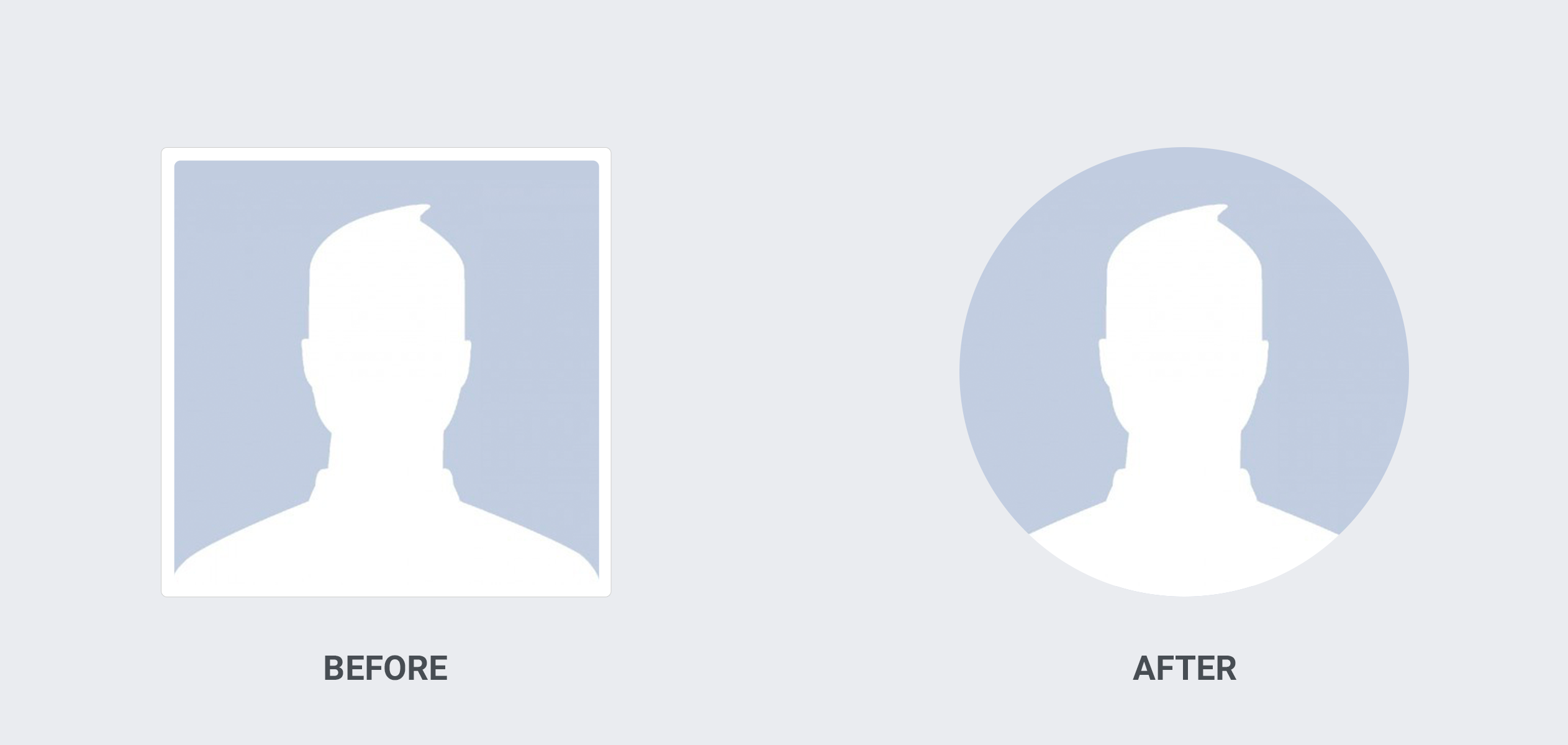
A few years ago, Facebook made the change from square to circle profile pictures. I still see so many senior living communities with a Facebook page logo that is cut off by the circle. That comes across as unprofessional. 

Ask your community graphic designer to produce a logo that’s made for a 170×170 size (that size is accurate of November 7, 2020). If your logo is wordy, consider using your logo icon or watermark only.


4. Do a Facebook page info audit

When is the last time you updated your Facebook page info? If it’s been over a year, it’s time for a refresh. 

Go to your Facebook page, click Edit Page Info, and then scroll through your publically-listed information. You might be surprised to find out what information is wrong or missing.

Pro tip: Facebook allows you to edit your current COVID-19 protocols. As a senior living community, you’ll want to let people know about the current safety procedures so update this frequently. 


5. Take notice of NationalDayCalendar.com

Mark April 11 on your calendar and schedule an annual reminder. What’s the big deal about April 11? Oh, it’s national pet day — the day where your Facebook page can triple it’s engagement. And here’s what you post on that day: “It’s National Pet Day! Comment below with a picture of your furry friend.” Adult children and seniors love sharing pictures of their pets.

On NationalDayCalendar.com, you’ll also find days and months that might have extra significance to your community like November, which is National Alzheimer’s Disease Awareness Month, or September 12, which is National Grandparent’s Day.


If you don’t remember anything else from this post, remember this: be authentic with your Facebook page and your posts. When your followers can get a sense of your community culture and vibe just from your Facebook page, you’ll see more success and engagement. 


If you don’t have a social media strategy. aren’t sure where to start, or need an agency to guide you, we’d love to help you!